
Instructions for inserting audio and iframe into blog
Instructions for inserting audio and iframe into blog:
Iframe
With Iframe ( like youtube, vimeo, etc…): Have 2 way to insert an iframe into your blog
Method 1: Insert from this editor
+ Click [Insert]
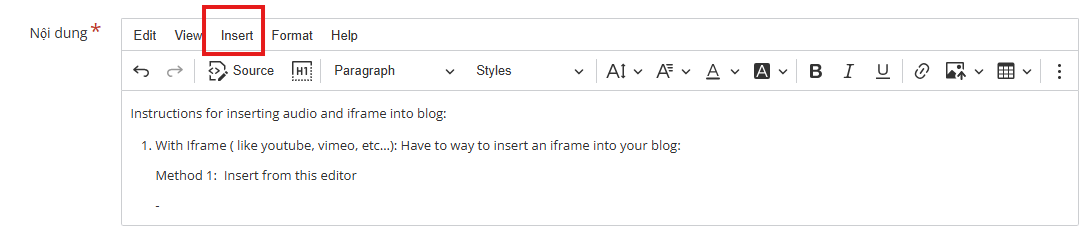
- + Click [Media]

+ Insert the url of the video which you want to embed then click [Accept]:
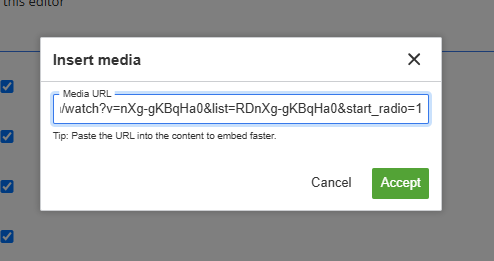
=> This is the result:
Method 2: Direct Embed
+ Go to youtube (or whatever platform you want to get the iframe), click [Share] ([Chia sẻ]) button
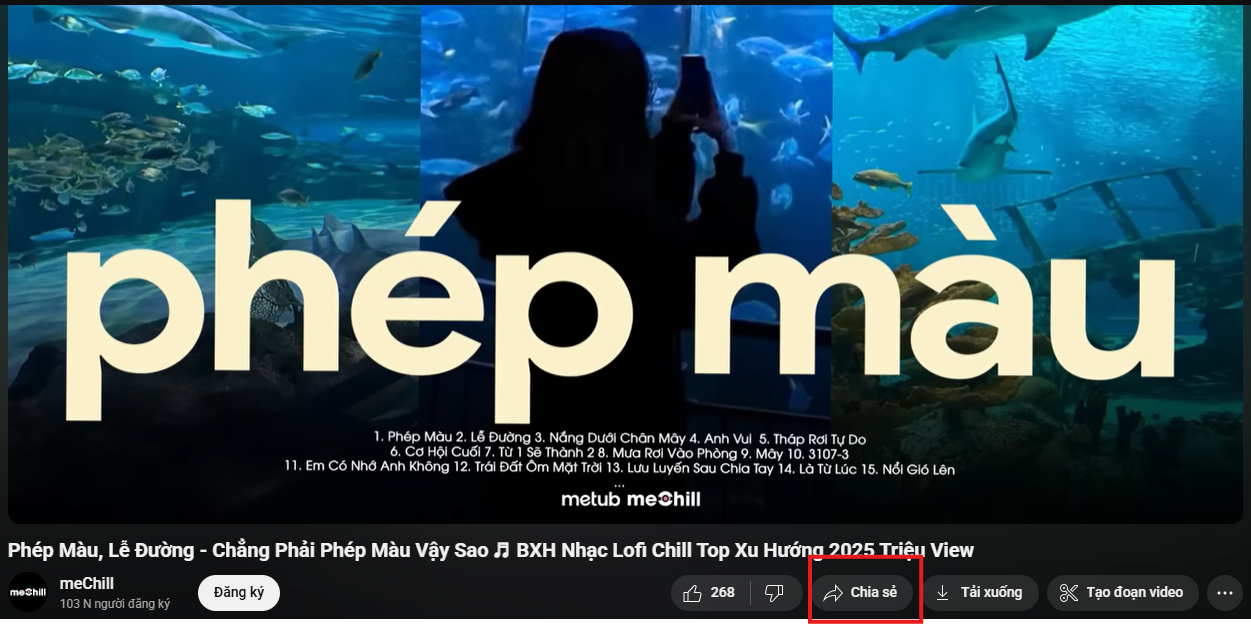
+ Click [Embed] ([Nhúng]) button, it'll show the html iframe:
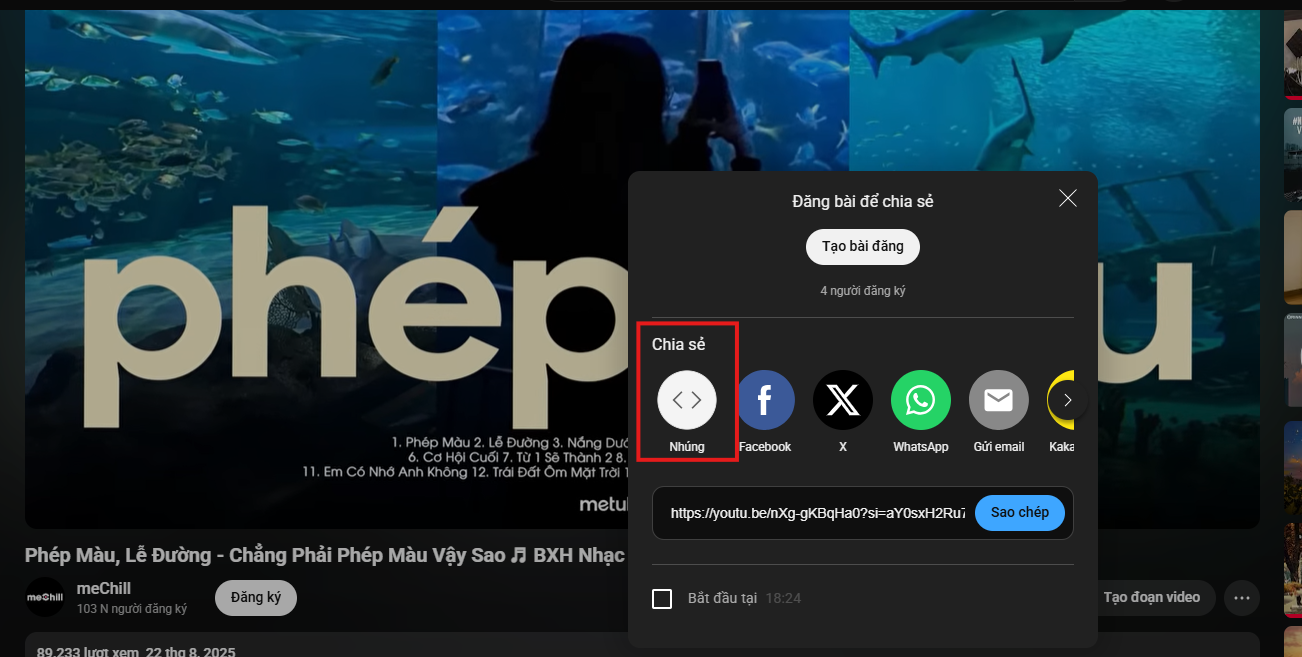
+ Copy and Paste it directly here:
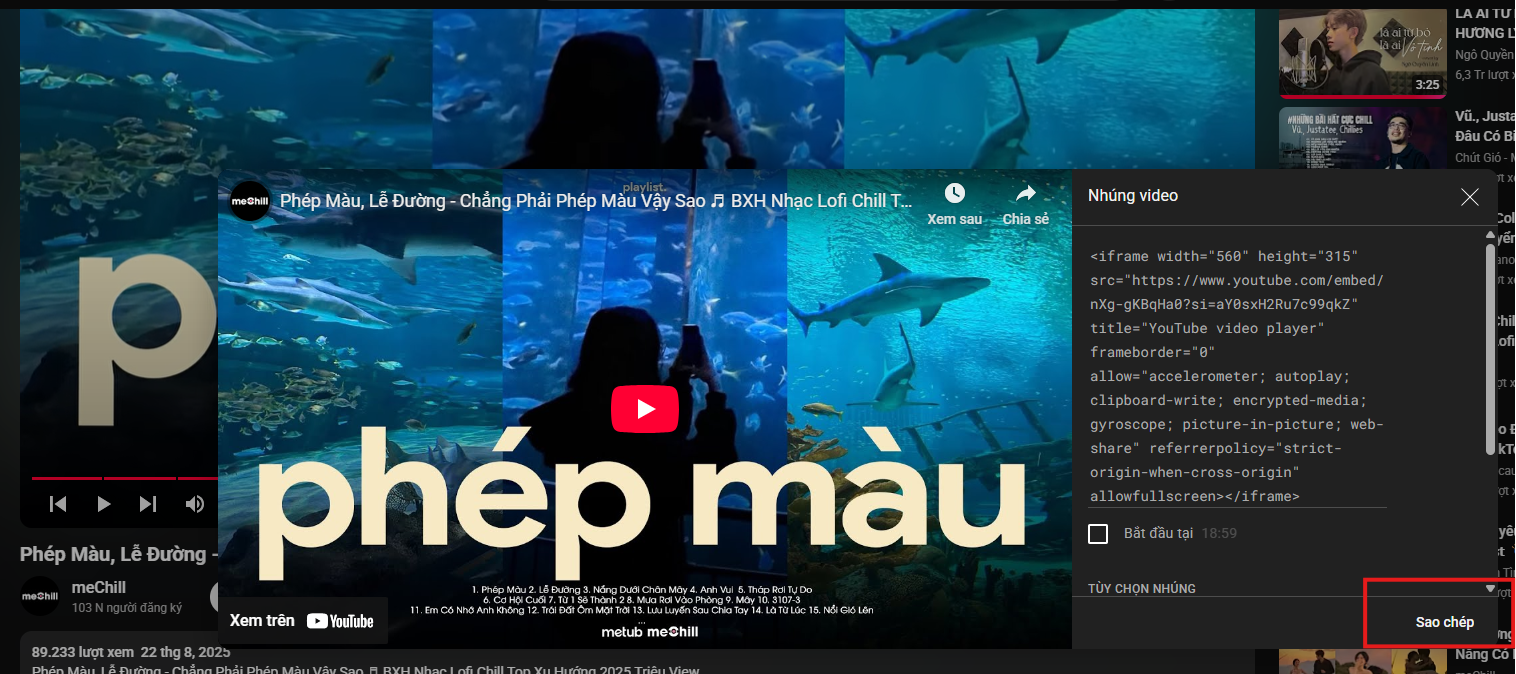
=> This is the result:
Audio
+ Click [File]

+ From file explorer click on a file with audio format (eg mp3, aac,...)
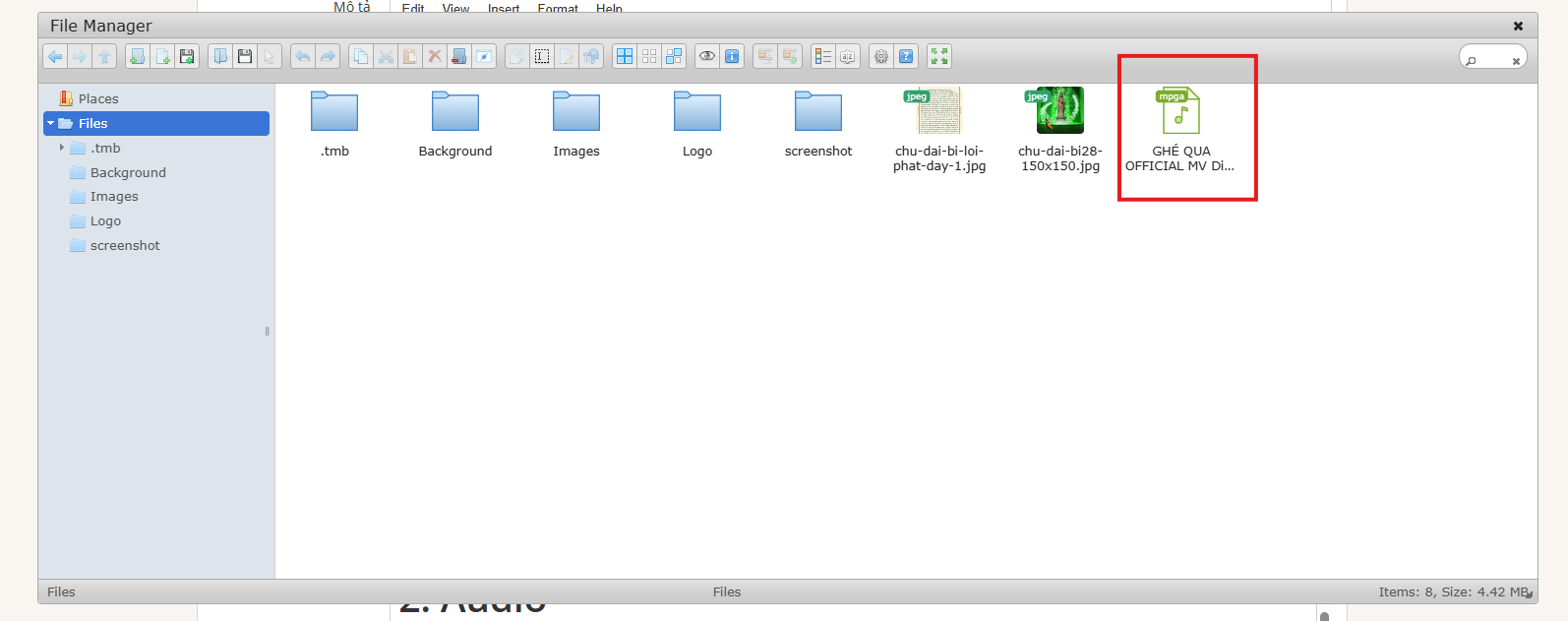
=> This is the result
5.0/5 - (2 bình chọn)
Please share this content to bring Buddha's teachings to everyone.